Review and launch a plan
A plan is the handoff between a thread and an experiment. It describes what Silico intends to test or build, how it will approach the work, what it will produce, and what resources it expects to use. Silico may inspect available resources while planning, but it does not dispatch an experiment until you click Launch experiment.
See Plans for how the plan, thread, and resulting experiment relate.
Review what matters
When a plan is ready, it appears in the thread as a Ready to launch card. Open it to review the full plan in the side panel while keeping the conversation alongside it.
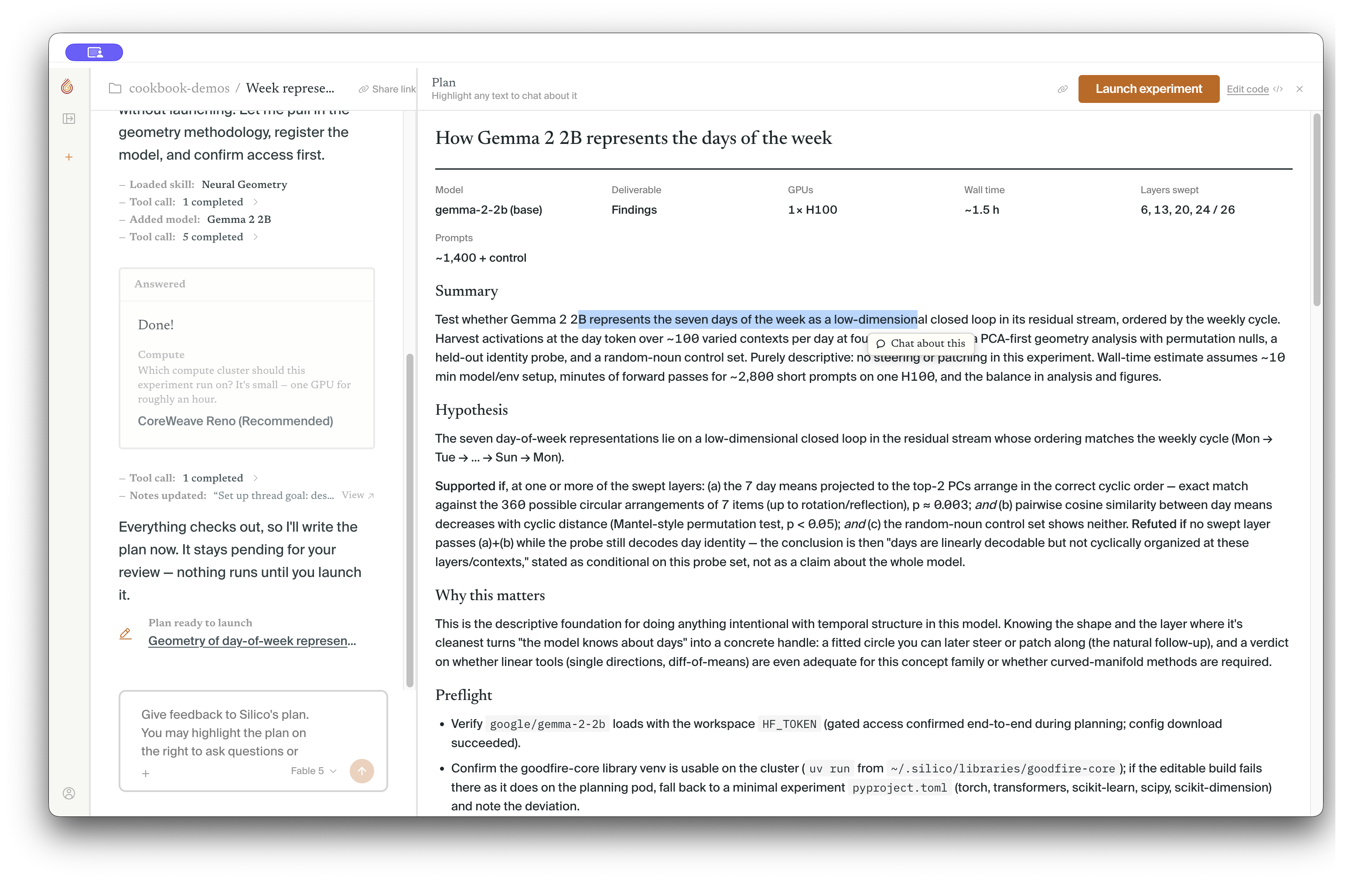
Plans should match the size of the task. A training run needs more detail than a small analysis or code change. Focus on the decisions that would be expensive or difficult to undo:
- Goal: Does the plan answer the question you asked, and is the expected outcome clear?
- Inputs: Are the model or checkpoint, data, code, and relevant paths correct?
- Method: Are the important comparisons, controls, and measurements present?
- Outputs: Will the experiment produce the figures, tables, code, checkpoints, or other artifacts you need?
- Resources: When compute is required, does the resource plan use an appropriate cluster, GPU type and count, runtime, and storage budget?
You do not need to specify every implementation detail. The plan should make the intent, important boundaries, and evidence you expect legible enough to hand off.
Give feedback in context
Keep the plan open while you discuss it with Silico. For a broad change, write feedback in the thread composer. For a specific change or question, highlight the relevant text in the plan and add your comment. Silico updates the plan and shows the changed passages for another review.
You can revise the plan more than once. Earlier versions remain in the thread history, so the reasoning behind the final experiment is still recoverable.
Launch the experiment
Click Launch experiment in the plan header when the scope and resource plan look right. Silico creates the experiment, adds it to Thread activity, and begins the work described by the plan.
Compute is normally determined before launch from the plan and your environment settings. Most organizations using on-demand compute can launch directly. If the experiment needs a cluster, credential, or resource that is not available, Silico will ask for it rather than presenting a separate compute picker at launch.
After launch, the plan becomes the first entry in the experiment's Timeline. Decisions, checkpoints, deviations, and results follow it, making it possible to compare the intended work with what actually happened. The thread remains open for questions and follow-up work while the experiment runs.
Next step
Continue with Monitor and steer an experiment.