Review and synthesize results
When an experiment completes, Silico turns the run into a research result. A good result does more than summarize what happened: it says which hypotheses survived, preserves negative results, links claims and visualizations to their sources, and identifies the most informative question to test next.
Read the result
Open Results for the experiment's synthesized answer. It presents the key takeaways, returns to the experiment's initial hypothesis, and explains whether the evidence supports it, weakens it, or leaves it unresolved.
Negative results belong in that account. A failed prediction or intervention can weigh against a mechanism, establish a boundary condition, or show where a result does not transfer. A test that simply detects no effect is different: treat it as evidence only when the experiment had sufficient data, sensitivity, controls, and successful execution. Otherwise, report it as inconclusive.
Silico distinguishes a partial signal from an inconclusive result. Partial signal means credible evidence supports a narrower claim or direction, but the experiment did not establish the full planned claim or clear its success criterion. Inconclusive means the evidence does not support a defensible direction because the run was underpowered, the instrument failed, or the read remains genuinely ambiguous. Partial signal is not a more optimistic name for uncertainty.
The result also identifies the strongest remaining uncertainty and suggests the next hypothesis or experiment that would resolve it. Treat an attractive table or diagram as a presentation of evidence, not evidence by itself: check the underlying data, sample size, metric, comparison, and limitations before acting on the recommendation.
If the worker resumes after publishing, the tab becomes Prior results. Treat it as a snapshot of an earlier stopping point until a newer result replaces it.
Inspect the code behind each visualization
Sourced visualizations include a Made from … link beneath the figure. Sourced result sections can also include view code beside the heading. Click either link to open the exact code and data files used for that part of the result.
Use these links to check how a metric was computed, which rows or checkpoints were included, how a plot was transformed, and whether the caption matches the implementation. Use Changes when you want the full experiment worktree rather than the files associated with one figure or section.
Trace the broader record
Use the other experiment views to verify the result:
- Timeline shows the meaningful sequence of progress, decisions, failures, and conclusions.
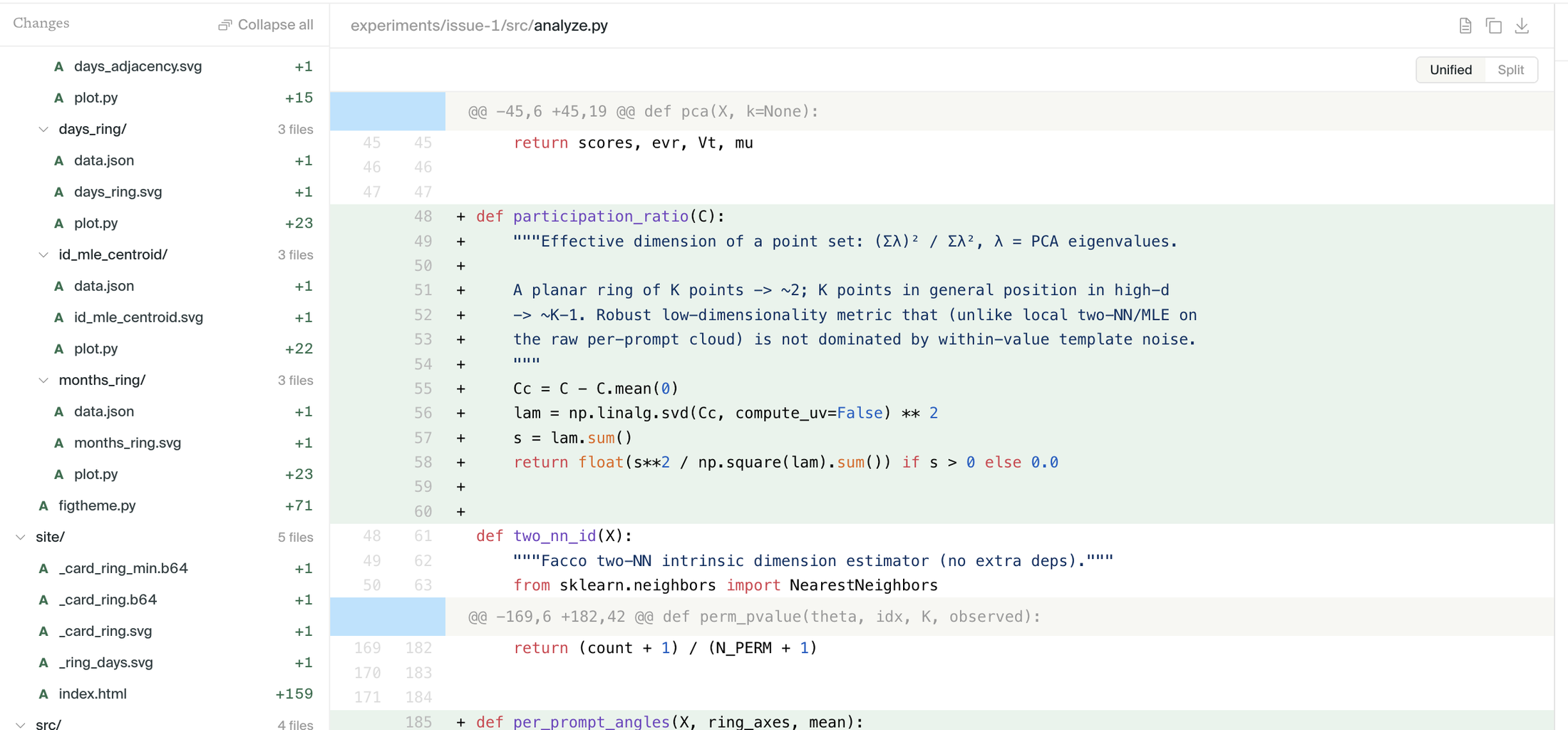
- Changes shows every code and file change made by the experiment.
- Worker shows the detailed execution record when you need to understand a specific action.
- Resource usage shows cluster jobs, runtime, and compute consumption.
- Metrics shows connected training or evaluation runs, including Weights & Biases data when available.
If a claim looks surprising, trace it back to the script, output, or metric that produced it. Check whether later work superseded an earlier file or intermediate conclusion.
Review and refine with artifact chat
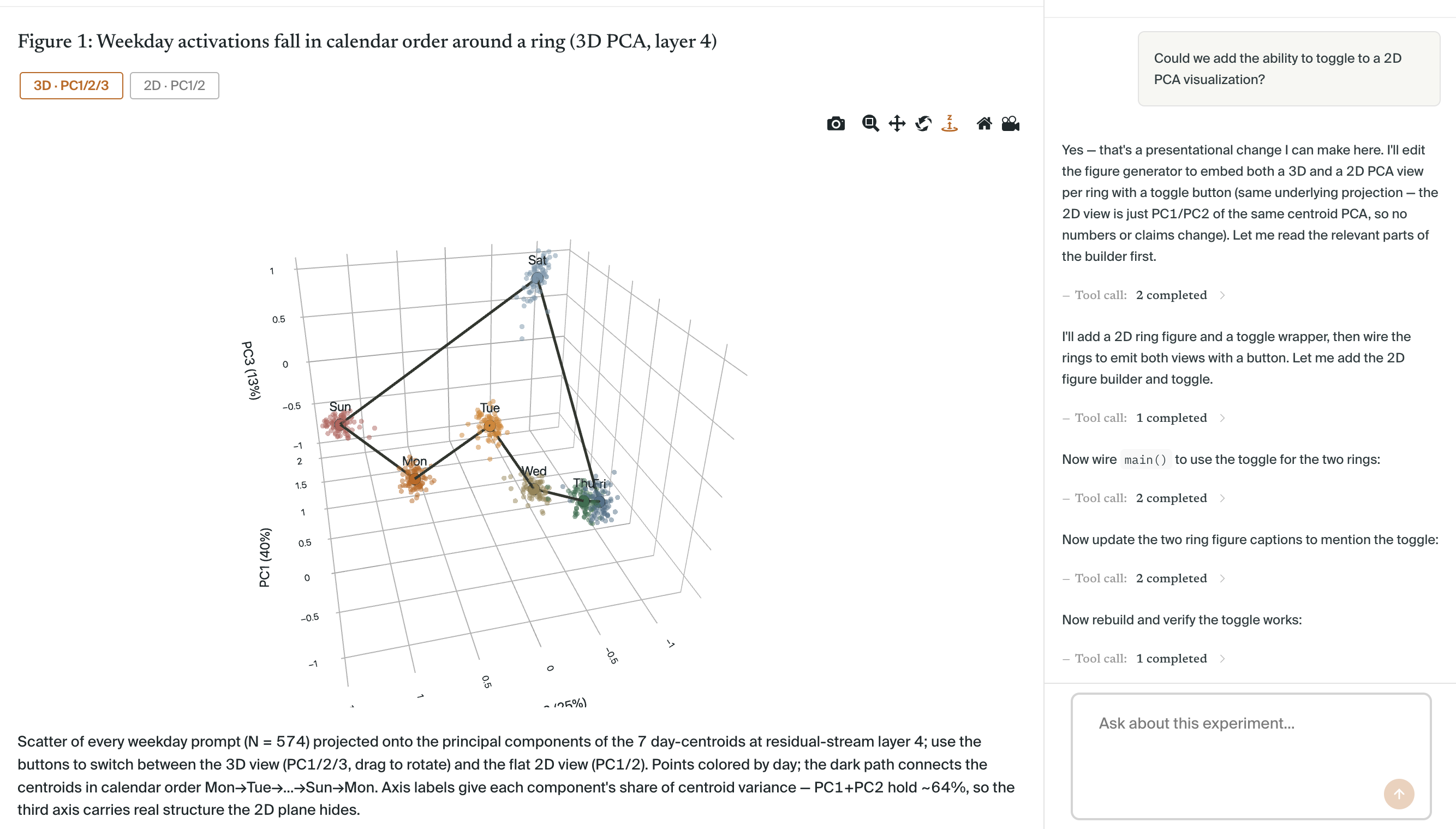
Click Review from the Results page to open artifact chat alongside the result and its source files. You can also reach it by opening a Made from … or view code link. The conversation stays grounded in the selected artifact, so Silico can inspect the relevant implementation and evidence without losing the context of the result.
Use artifact chat to question an interpretation, review the code behind a metric, adjust a caption, add another view of a visualization, or make a targeted change to the result page. Silico can edit the associated files, rebuild the artifact, and refresh the result without rerunning the underlying experiment when the evidence itself has not changed.
Return to Worker when the correction requires new analysis or execution. Return to the parent thread when the research direction changes or the follow-up should become a new plan.
Create a Summary
Ask Silico to write up the findings or type / and choose Summary. Silico will propose a plan for an accessible, interactive page that synthesizes the strongest results across the thread. A Summary is most useful when the experiments have settled a clear finding; it is not a substitute for running a missing control.
Review and launch the Summary plan like any other plan. Tell Silico who the intended reader is or which finding should be the through-line when that is not obvious from the thread.
Ask Silico to turn the result into the form your audience needs: a short conclusion, research note, handoff, table, diagram, or recommendation. Keep the summary linked to the evidence rather than copying only the headline.
A strong synthesis includes:
- The question and method.
- The main result.
- The strongest supporting evidence.
- Important uncertainty or limitations.
- The recommended next action.
For a handoff, include the result link, any important generated files, and the decision you want the reader to make.
Do not flatten conflicting experiments into one confident sentence. State which conditions differed, which evidence you trust most, and what uncertainty remains.
Export the code
Ask Silico to export the code or type / and choose Code Export. Silico can turn the code produced across the thread's experiments into a tested, documented draft pull request or a new repository. It will ask for the target when it cannot infer one and may request GitHub access before launch.
Code Export is for producing reusable software, not downloading a snapshot of an experiment worktree. Ask for it after the source experiments have produced code and results you want to preserve.
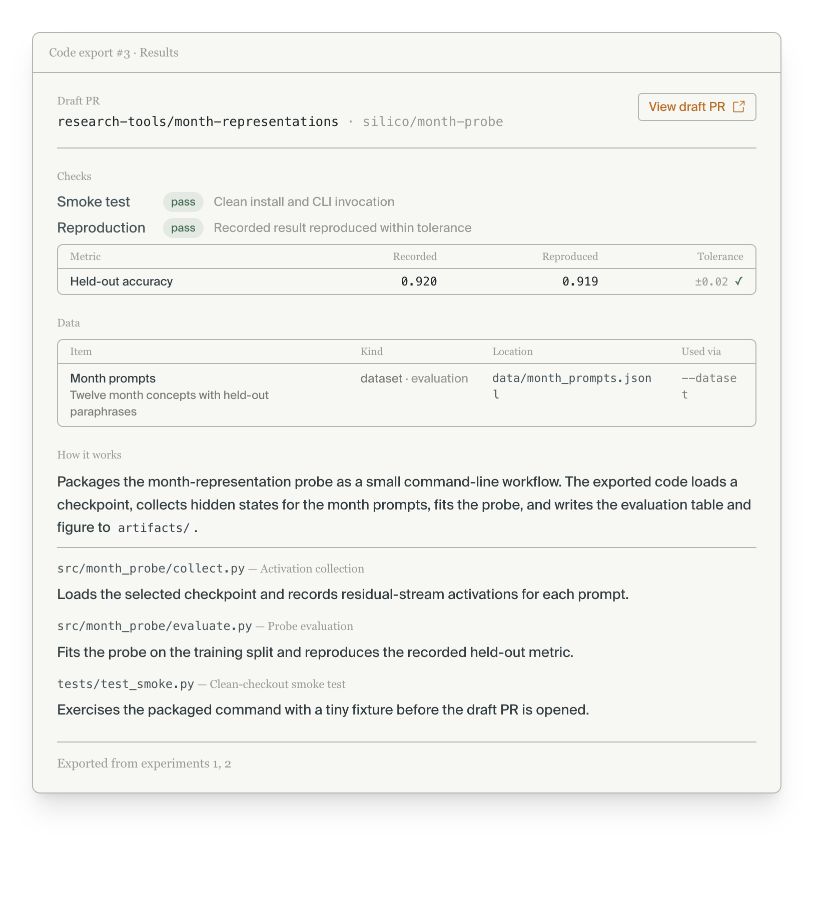
Summary and Code Export do not replace sharing the thread. Sharing exposes the research record; Summary communicates the findings; Code Export packages the implementation.
When the work is ready for someone else, continue with Sharing threads.