Compute
Most researchers do not need to configure compute. Silico runs experiments on Goodfire-managed on-demand compute, which provisions GPUs when a run needs them and releases them when the run finishes.
If on-demand compute is your only available option, Silico selects it automatically. If your organization also has dedicated compute, Silico asks which option to use before launching an experiment.
On-demand compute
On-demand compute is the default for most organizations. It does not require an SSH account, cluster credentials, a storage mount, or capacity planning from an administrator.
The experiment plan identifies the GPU requirements and includes an estimated compute cost. After you approve the plan, Silico provisions the requested capacity for the run and bills only for the time the GPU is in use.
You can confirm that the capability is available under Settings → Compute. A Ready card requires no action. If the card says Not enabled, contact Goodfire to enable on-demand compute for your account.
Bring your own compute
Organizations that need to run on their own infrastructure can connect dedicated compute with help from Goodfire. This setup is not currently self-serve.
Contact Goodfire to discuss the cluster, scheduler, authentication model, storage mounts, networking, and GPU capacity. We will configure the connection with your organization and confirm any steps individual members need to complete.
Once the dedicated compute is ready, it appears as another option for experiments. When more than one option is available, Silico asks where the experiment should run and records the choice with that experiment.
Monitor compute
Open an experiment's Resource usage view to inspect the GPUs and runtime associated with that run.
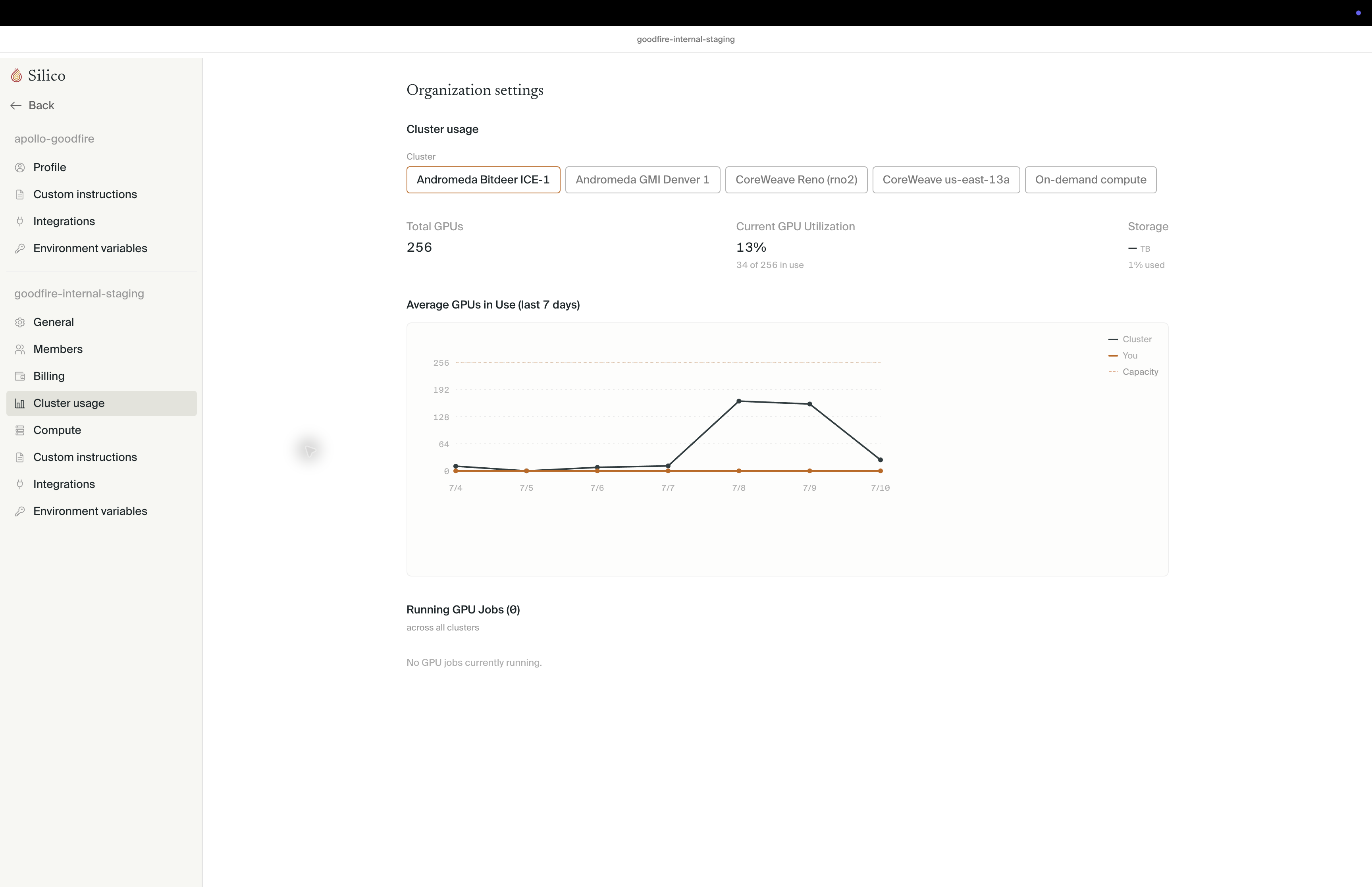
Organizations with dedicated clusters can use Settings → Cluster usage for organization-wide GPU and storage utilization. Most organizations using only on-demand compute will not need this view.