Usage and billing
Silico tracks usage for the organization in Research Units (RUs). Most researchers only need to know how much remains and which threads or experiments are consuming it. Owners and admins can also purchase RUs and manage billing when those actions are enabled for the organization.
Open Settings → Billing to review the organization's balance and usage.
Understand the balance
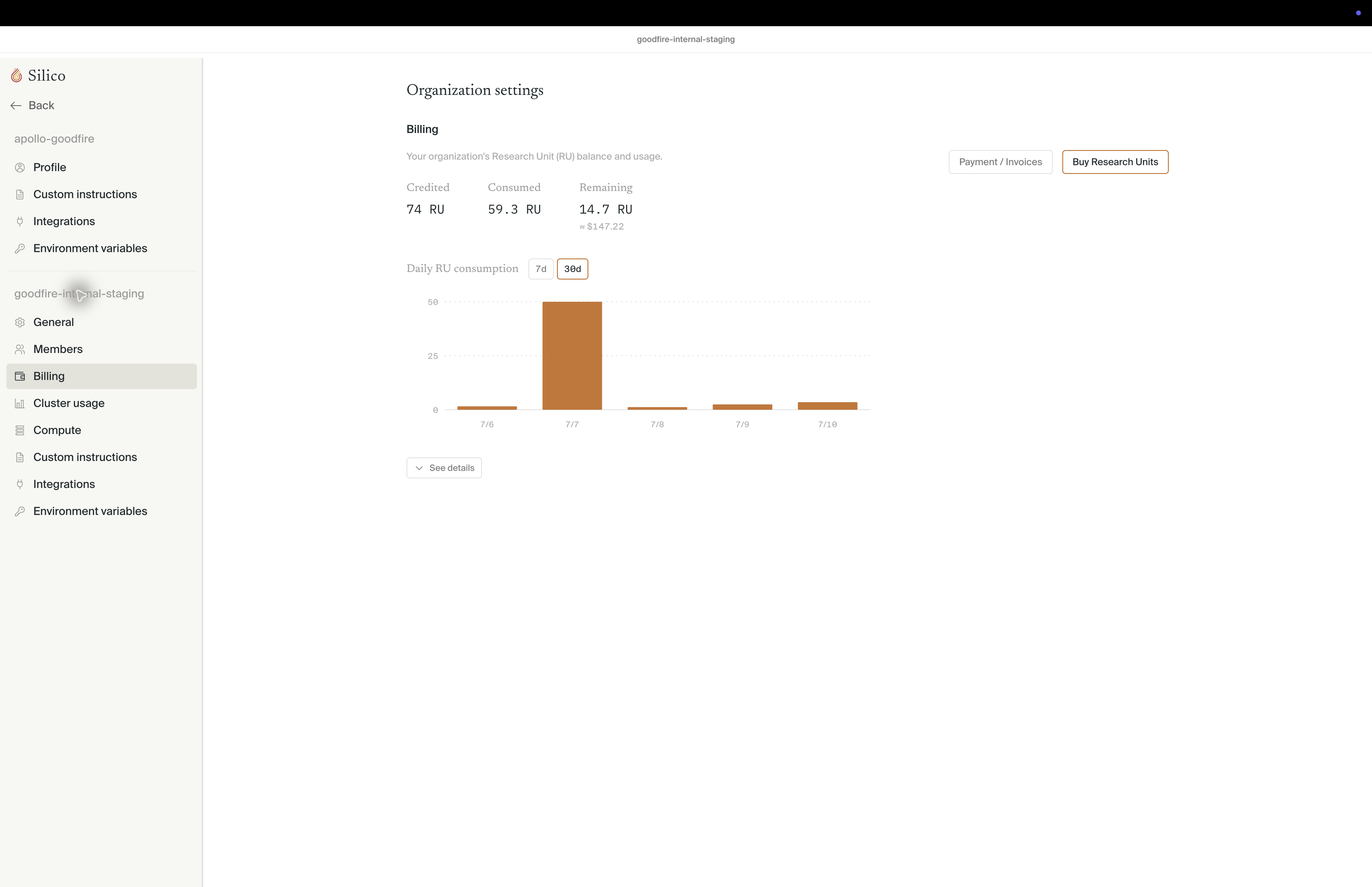
The top of the Billing page shows:
- Credited — all RUs added to the organization, including grants and purchases
- Consumed — RUs used during the current billing cycle
- Remaining — the available balance and its approximate dollar value
RUs represent charged Silico usage, not GPU-hours. Thread conversation, planning, agent work, and experiment execution can all contribute to usage. An experiment's Resource usage view instead reports its underlying compute jobs, so the two views are not expected to show the same totals.
Review where RUs are used
Daily RU consumption shows usage over the last 7 or 30 days. Select See details to expand the attributable breakdown:
- each top-level row is a thread and identifies who launched it when that information is available
- Thread chat is the usage associated with conversation and planning in that thread
- nested experiment rows show execution usage for each experiment
The detail view is for attribution, not reconciliation. Activity that cannot be tied to a visible thread or experiment is omitted, and the list may be truncated, so its rows may not add up to the headline total.
All organization members can view this usage. It is useful for finding an unexpectedly expensive run or understanding which line of work is consuming the balance.
Buy Research Units
For external organizations with billing enabled, owners and admins see two additional actions:
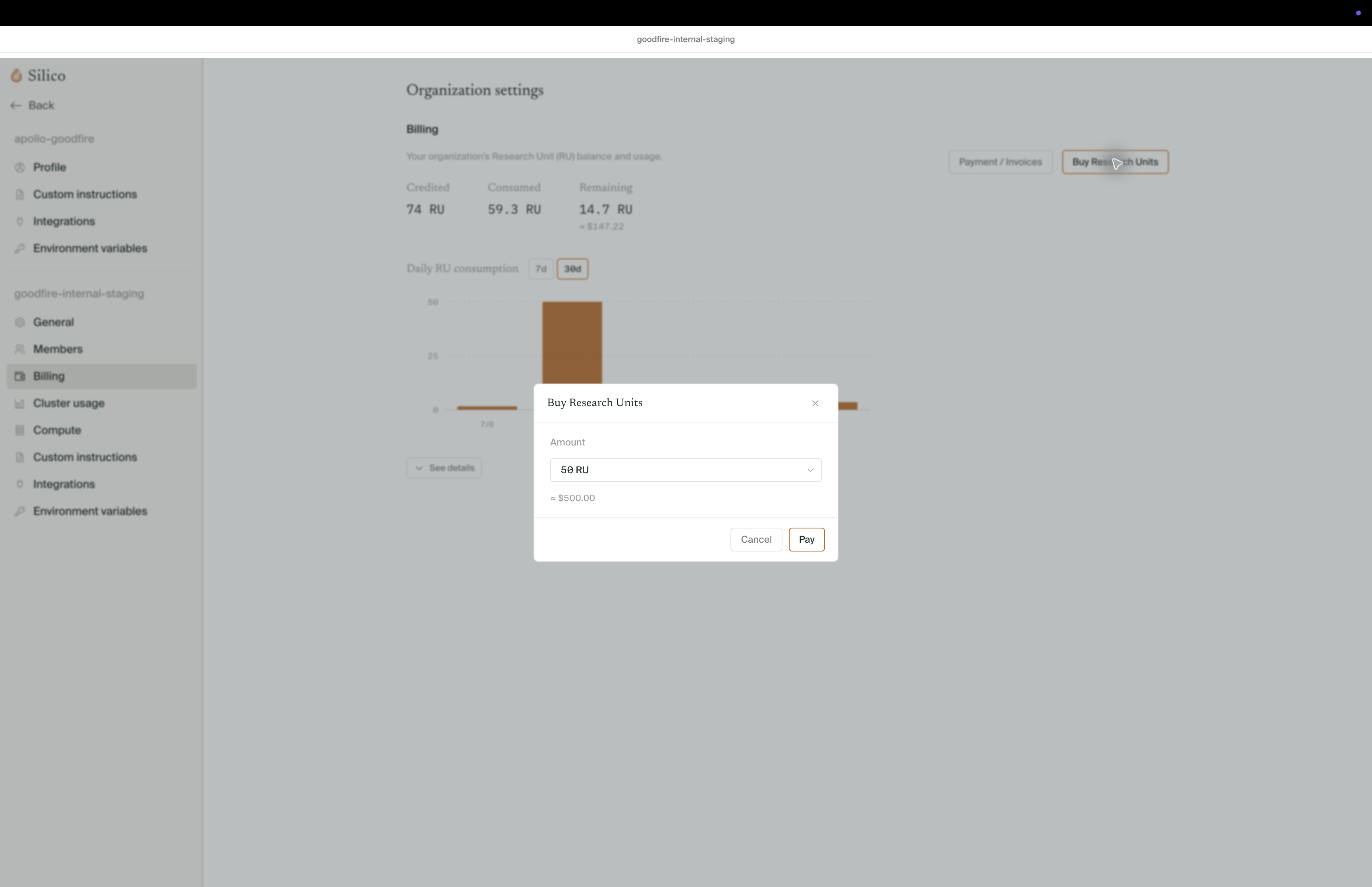
- Buy Research Units opens a purchase dialog with preset and custom amounts, followed by Stripe Checkout.
- Payment / Invoices opens the organization's billing portal for payment methods and invoices.
In the desktop app, checkout opens in the system browser and returns you to Silico when it finishes. A completed purchase can take a few seconds to appear in the balance.
Members who do not have billing permissions should ask an organization owner or admin to add capacity.
When the balance runs out
For organizations with credit enforcement enabled, reaching zero RUs pauses new experiments and other billable actions. In-flight experiments may be stopped if the balance continues to fall. Existing threads, results, and artifacts remain available to review.
Owners and admins can buy more RUs from the Billing page. Other members see the same out-of-RUs notice and should contact an organization owner or admin.
Keep usage predictable
Before launching a large experiment, review the plan's sample size, accelerator requirements, parallelism, estimated cost, and stopping conditions. A small pilot can validate the data, metrics, and output path before the experiment scales.
Use the Billing page to monitor organization-wide RU consumption and the experiment's Resource usage view to monitor the underlying jobs.